Sistem parking guidance & penghitungan kendaraanParking guidance & vehicle counting system

Setiap lot, setiap gate, dalam satu layar. Every space, every gate, on one screen.

Lotify menampilkan lot parkir yang kosong, menghitung setiap kendaraan di gate, mengarahkan pengemudi lewat papan LED, dan mengolah semuanya menjadi laporan untuk manajemen. Lotify shows which parking spaces are free, counts every vehicle at the gates, guides drivers with LED signs, and turns it all into reports for management.

  • Okupansi real-timeReal-time occupancy
  • Penghitungan gateGate counting
  • Panduan pengemudiDriver guidance
  • Laporan otomatisAutomatic reports
  • 5 detiksecInterval pembaruan okupansi di dashboard dan papanOccupancy refresh on dashboard and signs
  • 4 arahwaysPanah per papan persimpangan, masing-masing dengan jumlah lot kosongArrows per junction sign, each with its own free-space count
  • 3 peranrolesAdmin, Operator, dan Viewer dengan hak akses berbedaAdmin, Operator and Viewer, each with its own rights
  • 3 laporanreportsHarian, mingguan, dan bulanan, terkirim otomatis lewat emailDaily, weekly and monthly, emailed automatically
TantangannyaThe challenge

Parkir yang masih mengandalkan perkiraanParking that still runs on guesswork

Pengemudi berputar-putarDrivers keep circling

Pengunjung naik turun lantai mencari lot kosong. Ramp mengantre dan kunjungan dimulai dengan kesal.Visitors drive up and down floors looking for a free space. Ramps queue up and the visit starts with frustration.
Petugas tidak bisa melihatStaff can't see

Petugas tidak tahu lantai mana yang masih kosong, atau berapa mobil yang sedang masuk saat ini.Staff don't know which floor still has room, or how many cars are coming in right now.

Manajemen tanpa dataManagement without data

Tidak ada angka okupansi, jam sibuk, dan arus gate yang bisa diandalkan untuk merencanakan petugas, tarif, atau pengembangan.No reliable occupancy, peak-hour or gate-traffic figures to plan staffing, tariffs or expansion.

Lotify memberikan solusi dengan hitungan langsung setiap lot dan setiap kendaraan.Lotify solves this with a live count of every space and every vehicle.

Cara kerjaHow it works

Satu hitungan langsung untuk semuanyaOne live count behind everything

Data mengalir dari sensor ke server Lotify, lalu dipakai bersama oleh dashboard, papan LED, dan laporan. Tidak ada angka yang diketik manual.Data flows from the sensors into the Lotify server and is shared by the dashboard, the LED signs and the reports. No figure is typed in by hand.

  1. 1

    Sensor & car counterSensors & car counters

    Sensor di atas setiap lot melaporkan terisi atau kosong. Car counter di setiap jalur gate melaporkan setiap kendaraan yang lewat.A sensor above each space reports occupied or free. A car counter in each gate lane reports every vehicle that passes.

  2. 2

    Server LotifyLotify server

    Membaca setiap sensor setiap beberapa detik, menerima setiap kendaraan dari gate, dan mencatat setiap perubahan.Reads every sensor every few seconds, receives every vehicle from the gates, and logs every change.

  3. 3

    Layar, papan & laporanScreens, signs & reports

    Dashboard web, papan LED, dan laporan email memakai data langsung yang sama.The web dashboard, LED signs and email reports all use the same live data.

Tiga warna, dipakai di mana sajaThree colours, used everywhere

Cukup diatur sekali. Denah lantai, zona, sensor, dan car counter diisi sekali; semua angka, papan, dan laporan dihitung dari pembacaan sensor.Set it up once. Floor maps, zones, sensors and car counters are entered once; every figure, sign and report is calculated from the sensor readings.

  • TersediaAvailableLot kosong.Space is free.
  • TerisiOccupiedAda mobil di lot.A car is in the space.
  • OfflineSensor tidak melapor. Tidak pernah dihitung kosong.Sensor not reporting. Never counted as free.
FiturFeatures

Semua yang dibutuhkan pengelola parkir, dalam satu aplikasi webEverything a car park operator needs, in one web app

Dari lantai parkir sampai meja manajemen, semua melihat angka yang sama secara langsung.From the parking floor to the management desk, everyone sees the same live figures.

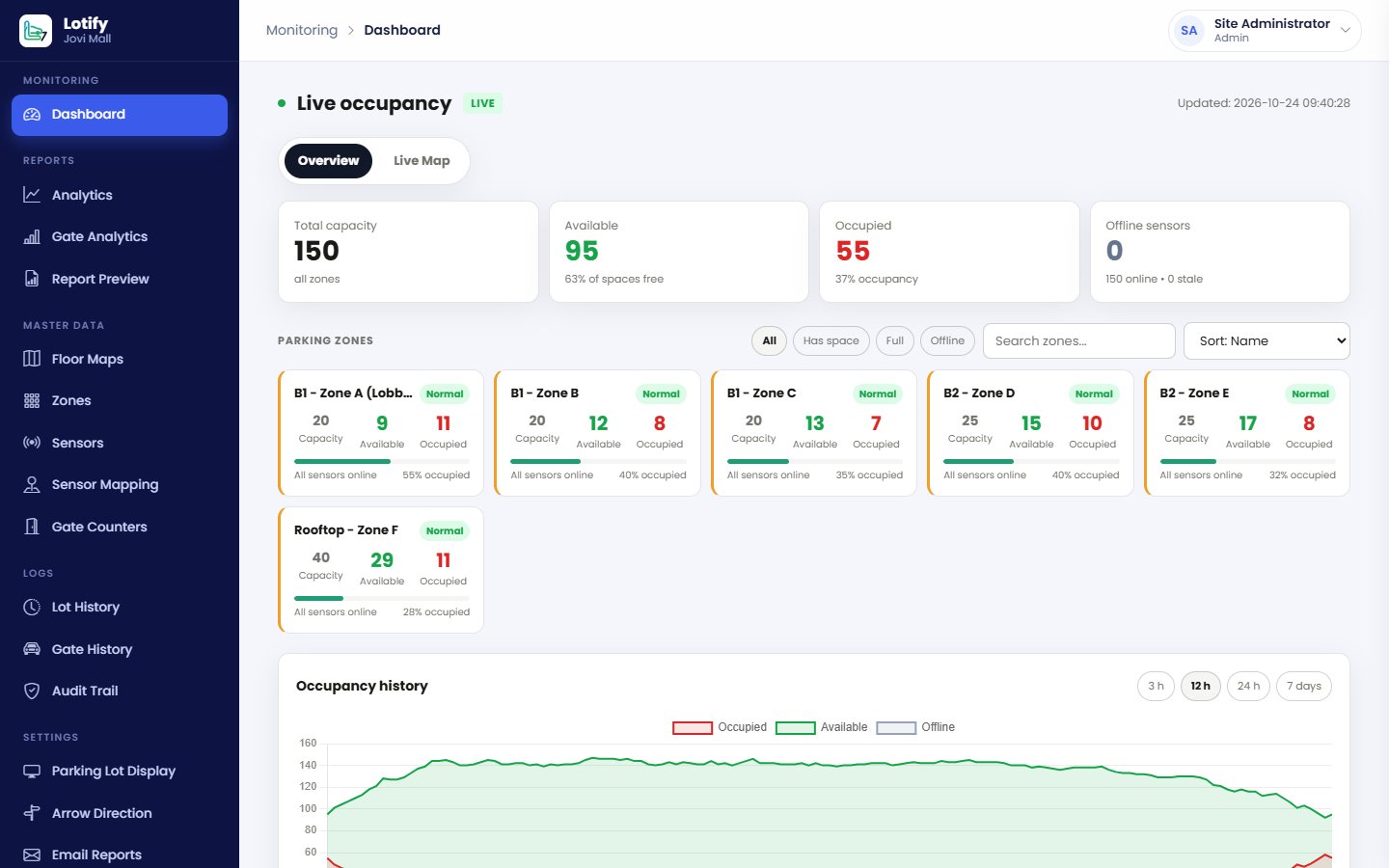
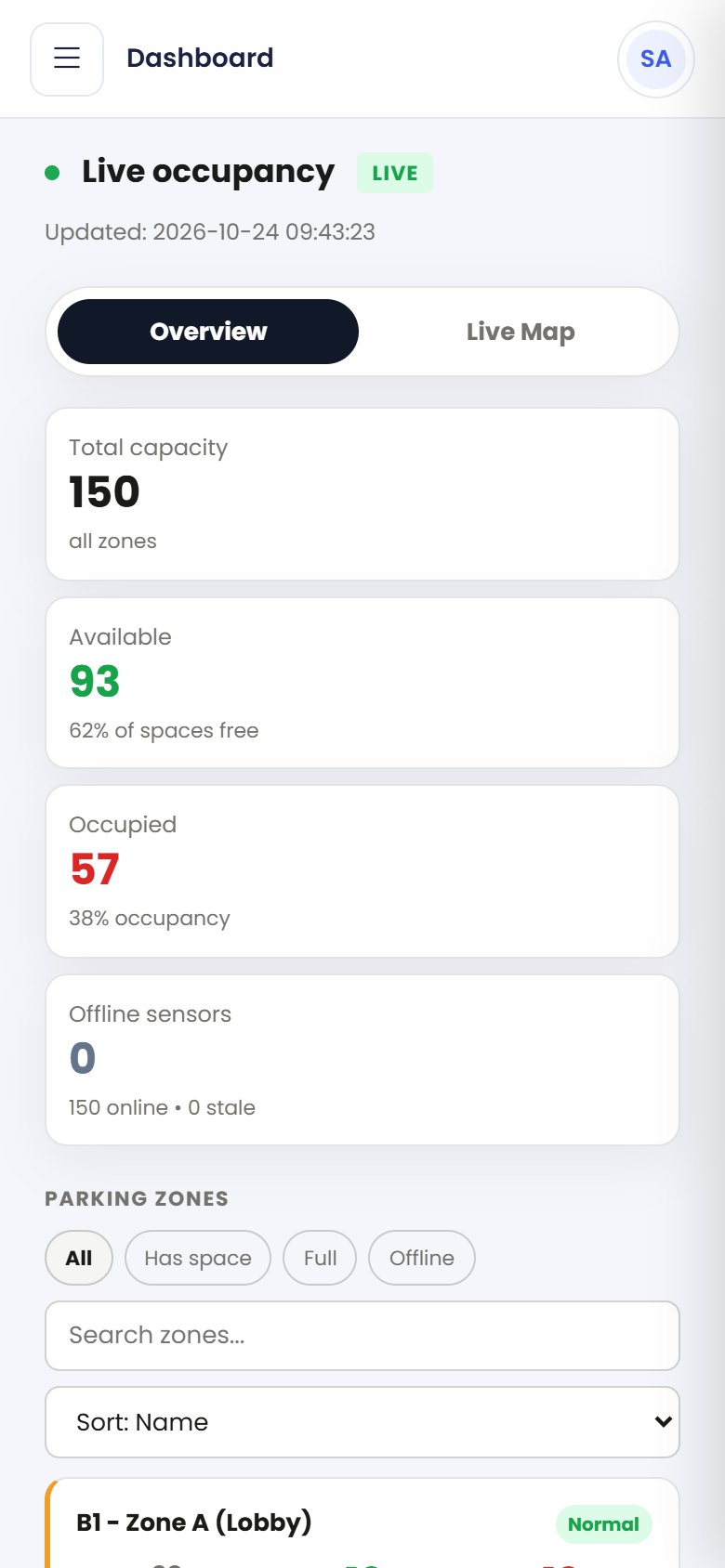
Dashboard okupansi Lotify

Monitoring real-timeReal-time monitoring

Okupansi setiap zona dan setiap lot dalam satu layar, diperbarui otomatis setiap beberapa detik, lengkap dengan peta lot di denah lantai.Occupancy of every zone and space on one screen, updated automatically every few seconds, with a live map of each floor.

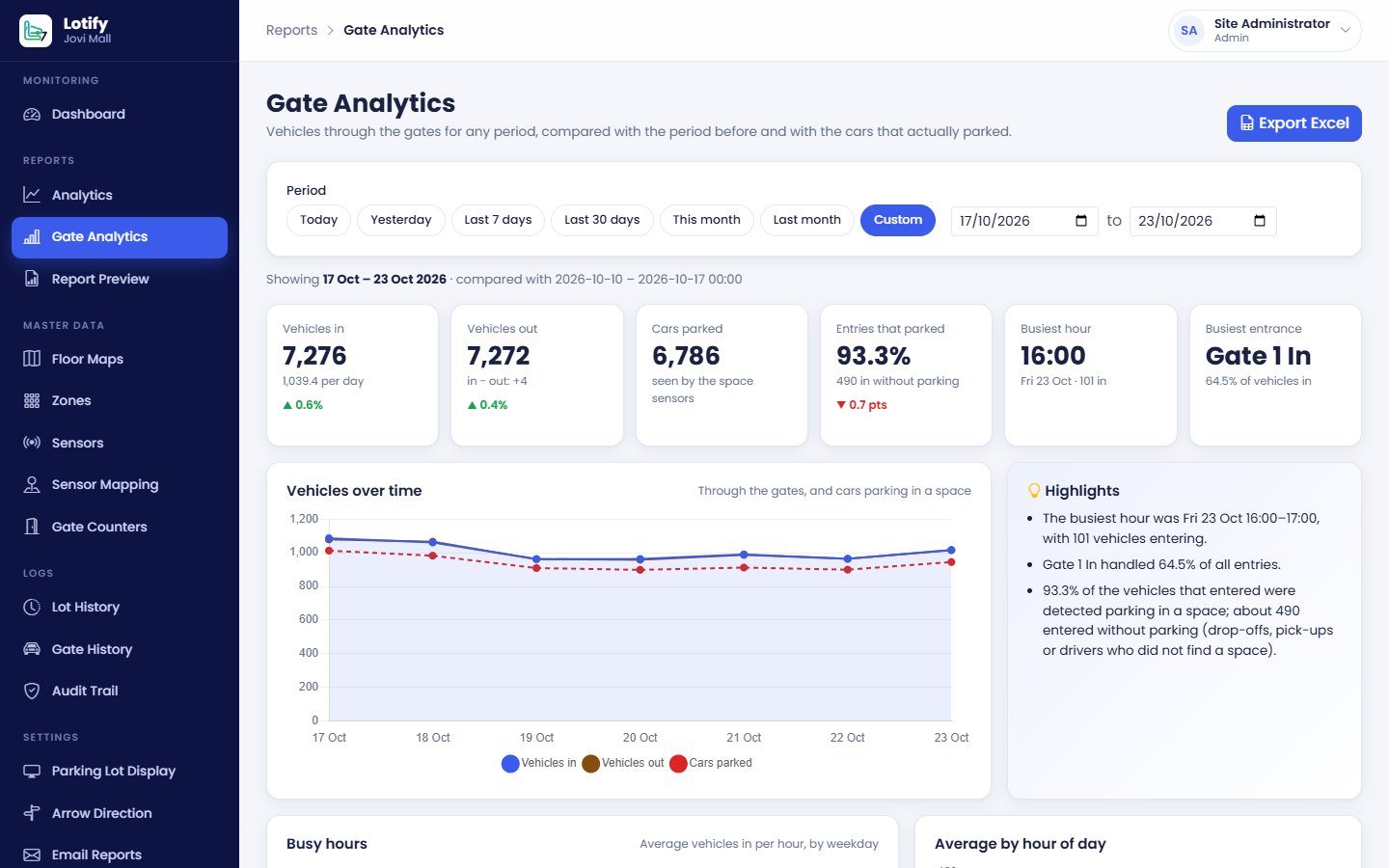
Analitik gate Lotify

Penghitungan gateGate counting

Setiap kendaraan masuk dan keluar dihitung per jalur, lalu dibandingkan dengan jumlah kendaraan yang benar-benar parkir.Every vehicle in and out is counted per lane and compared with the number of vehicles that actually parked.

Papan petunjuk LEDLED guidance signs

Totem dan papan panah di pintu masuk dan persimpangan menampilkan jumlah lot kosong secara otomatis, dan FULL saat penuh.Totems and arrow signs at entrances and junctions show the free spaces automatically, and FULL when there are none.

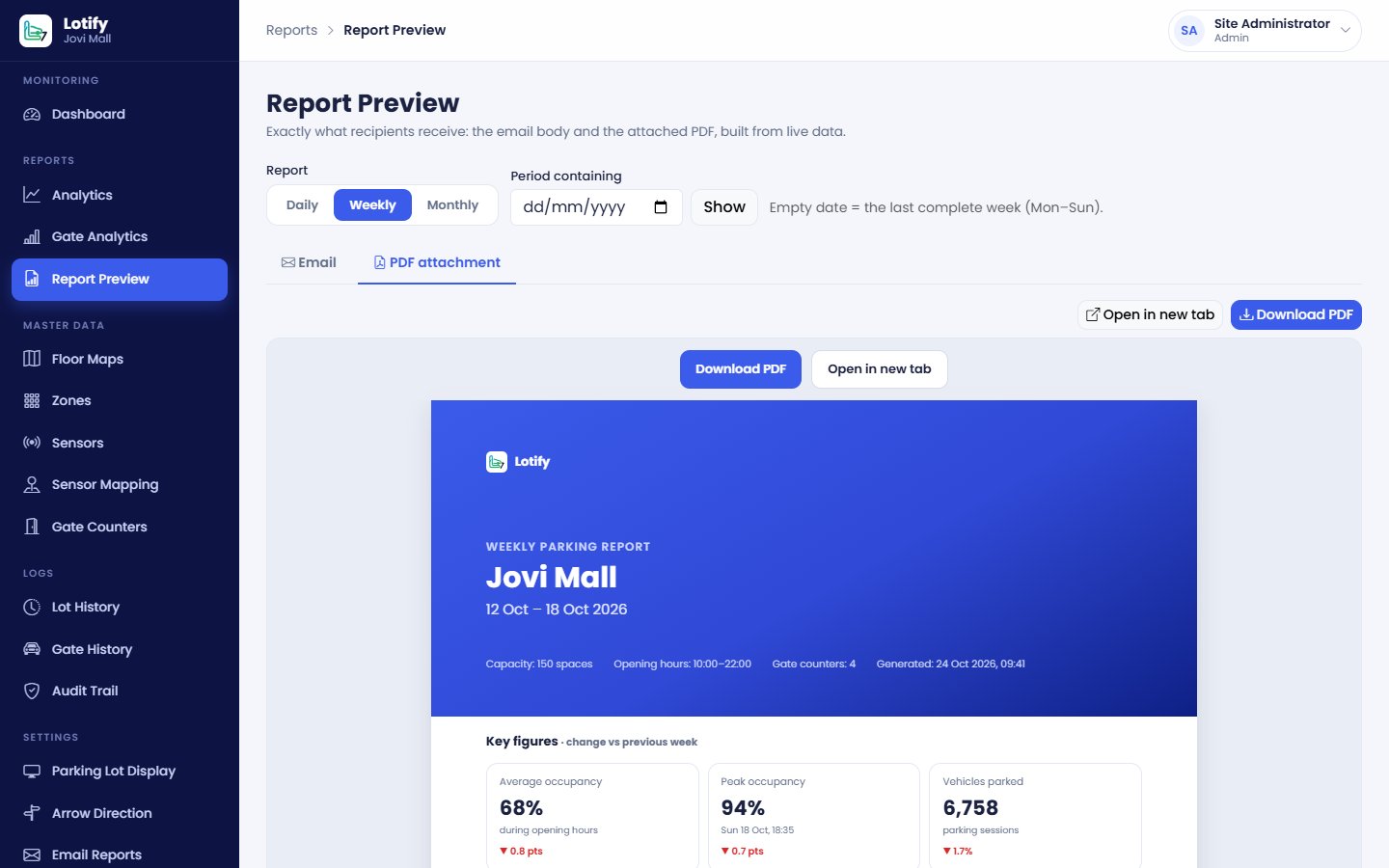
Laporan Lotify

Analitik & laporanAnalytics & reports

Jam sibuk, okupansi, dan arus kendaraan untuk periode apa pun, ekspor Excel, serta laporan harian, mingguan, dan bulanan lewat email.Peak hours, occupancy and traffic for any period, Excel export, and daily, weekly and monthly reports by email.

  • Komputer, tablet & ponselComputer, tablet & phone
  • Admin, Operator & ViewerAdmin, Operator & Viewer
  • Setiap perubahan tercatatEvery change recorded
  • Denah lantai Anda sendiriYour own floor maps
Simulasi langsungLive simulation

Lihat bagaimana satu sensor menggerakkan semuanyaSee how one sensor moves everything

Setiap kali mobil masuk atau keluar dari sebuah lot, angka di dashboard, totem LED, dan papan panah ikut berubah. Klik sebuah lot untuk mengubah statusnya sendiri.Each time a car enters or leaves a space, the dashboard, the LED totem and the arrow sign change with it. Click a space to change it yourself.

Basement 1
Zona AZone A
Zona BZone B
  • TersediaAvailable
  • TerisiOccupied
  • Offline
KapasitasCapacity32
TersediaAvailable0
TerisiOccupied0
Offline0
Totem LED di pintu masukLED totem at the entrance
ZONA AZONE A0
ZONA BZONE B0
Papan panah di persimpanganArrow sign at the junction
←0 →0
Masuk gateGate in0
Keluar gateGate out0
Yang parkirParked0%

Ilustrasi dengan data acak. Di lokasi Anda, angka berasal dari sensor dan car counter sungguhan.Illustration with random data. On your site, the figures come from real sensors and car counters.

ManfaatBenefits

Yang langsung terasa sejak hari pertamaWhat you feel from day one

PengemudiDrivers

  • Lebih cepat menemukan lot kosongFind a free space faster
  • Petunjuk jelas di pintu masuk dan persimpanganClear guidance at entrances and junctions
  • Tidak perlu berputar-putar, antrean ramp lebih pendekNo more circling, shorter ramp queues

PetugasStaff

  • Setiap lantai dan gate dalam satu layarEvery floor and gate on one screen
  • Sensor offline langsung ketahuanOffline sensors spotted immediately
  • Bekerja dari komputer, tablet, atau ponselWork from a computer, tablet or phone

ManajemenManagement

  • Angka okupansi dan arus kendaraan yang bisa diandalkanReliable occupancy and traffic figures
  • Jam sibuk untuk merencanakan petugas dan tarifPeak hours to plan staffing and tariffs
  • Laporan otomatis masuk ke inboxAutomatic reports in your inbox
Hak aksesAccess rights

Setiap orang melihat yang perlu dilihatEveryone sees what they need

Tiga peran bawaan menjaga data tetap aman. Akun Viewer cocok untuk tamu, layar ruang kontrol, dan presentasi, karena tidak bisa mengubah apa pun. Semua login dan perubahan tercatat di Audit Trail.Three built-in roles keep the data safe. Viewer accounts suit guests, control-room screens and presentations because they can't change anything. Every login and change is recorded in the Audit Trail.

AdminOperatorViewer
Dashboard, peta, laporanDashboard, maps, reports✓✓✓
Ubah data area parkirEdit car park data✓✓—
Papan, laporan emailSigns, email reports✓——
Pengguna, Audit TrailUsers, Audit Trail✓——
Langkah berikutnyaNext steps

Dari survei hingga go-liveFrom site survey to go-live

  1. Survei lokasiSite survey

    Menghitung lot, gate, dan persimpangan, lalu merencanakan posisi sensor dan papan.Count the spaces, gates and junctions, then plan where sensors and signs go.

  2. InstalasiInstallation

    Sensor di atas lot, counter di jalur gate, totem LED, dan papan panah.Sensors above the spaces, counters in the gate lanes, LED totems and arrow signs.

  3. KonfigurasiConfiguration

    Denah lantai, zona, sensor, car counter, dan papan diisi di Lotify.Floor maps, zones, sensors, car counters and signs are entered in Lotify.

  4. PelatihanTraining

    Tim Anda belajar memakai Lotify dengan buku panduan berbahasa Indonesia atau Inggris.Your team learns Lotify with a user manual in Indonesian or English.

  5. Go-live

    Dashboard, papan, dan laporan terjadwal langsung berjalan sejak hari pertama.Dashboard, signs and scheduled reports run from day one.

FAQ

Pertanyaan yang sering diajukanFrequently asked questions

Belum menemukan jawabannya? Kirim pertanyaan Anda keCan't find your answer? Send your question to info@lotify.id.

Apa yang dibutuhkan untuk membuka Lotify?What do I need to open Lotify?

Cukup browser versi terbaru (Chrome, Edge, Firefox, atau Safari) yang terhubung ke jaringan area parkir, atau ke internet bila situs Anda dipublikasikan online. Lotify berjalan di browser, jadi tidak ada aplikasi yang perlu dipasang.Just an up-to-date browser (Chrome, Edge, Firefox or Safari) connected to the car park network, or to the internet if your site is published online. Lotify runs in the browser, so there is nothing to install.

Apakah bisa dipakai dari ponsel atau tablet?Can I use it on a phone or tablet?

Bisa. Tampilan Lotify menyesuaikan layar komputer, tablet, dan ponsel, sehingga petugas di lapangan tetap bisa memantau okupansi dan gate.Yes. Lotify adapts to computers, tablets and phones, so staff on the floor can keep an eye on occupancy and gates.

Bagaimana jika ada sensor yang tidak melapor?What if a sensor stops reporting?

Lot tersebut ditandai Offline (abu-abu) dan tidak pernah dihitung sebagai kosong, jadi papan petunjuk tidak akan mengarahkan pengemudi ke lot yang statusnya belum pasti. Jumlah sensor offline juga langsung terlihat di dashboard.The space is marked Offline (grey) and is never counted as free, so the signs never send drivers to a space whose status is unknown. The number of offline sensors is shown right on the dashboard.

Apa bedanya sensor lot dan penghitung gate?How do space sensors differ from gate counters?

Sensor lot melaporkan status setiap lot (terisi atau kosong). Car counter di gate menghitung setiap kendaraan yang masuk dan keluar per jalur. Dengan keduanya, Anda bisa melihat berapa kendaraan yang benar-benar parkir dan berapa yang hanya antar-jemput atau tidak mendapat lot.Space sensors report the status of each space (occupied or free). Gate car counters count every vehicle in and out, lane by lane. With both, you can see how many vehicles actually parked and how many were drop-offs or found no space.

Laporan apa saja yang tersedia?Which reports are available?

Analitik okupansi, kunjungan, lama parkir, dan jam sibuk untuk periode apa pun (dibandingkan dengan periode sebelumnya), heatmap per zona dan per gate, ekspor Excel, serta laporan email harian, mingguan, dan bulanan yang masing-masing dilengkapi PDF 5 halaman.Occupancy, visit, length-of-stay and peak-hour analytics for any period (compared with the period before), heatmaps per zone and per gate, Excel export, and daily, weekly and monthly email reports, each with a 5-page PDF.

Berapa lama sampai sistem berjalan?How long until the system is live?

Tergantung jumlah lot, gate, dan persimpangan di lokasi Anda. Semuanya dimulai dari survei lokasi; setelah itu kami menyusun rencana instalasi, konfigurasi, dan pelatihan. Hubungi kami untuk menjadwalkan survei.It depends on the number of spaces, gates and junctions on your site. It all starts with a site survey, after which we plan installation, configuration and training. Contact us to schedule a survey.

Hubungi kamiContact us

Lihat Lotify secara langsungSee Lotify in action

Kirim email kepada kami untuk demo dashboard, papan petunjuk, dan laporannya, atau untuk menjadwalkan survei lokasi.Email us for a demo of the dashboard, guidance signs and reports, or to schedule a site survey.